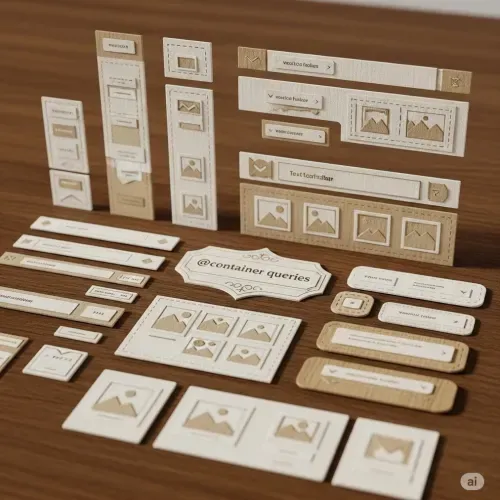
Container Queries 2026: Production-Ready Component Design
Container Queries: Fully Mature in 2026
In 2023, container queries were “newly available.” In 2026, they’re production-ready with 95%+ global browser support. No more caveats, no more fallbacks needed for most use cases.
This note covers what’s changed and the advanced patterns you can now confidently use.
Browser Support Status
| Browser | Support | Notes |
|---|---|---|
| Chrome 105+ | Full | Since Sept 2022 |
| Edge 105+ | Full | Since Sept 2022 |
| Firefox 110+ | Full | Since Feb 2023 |
| Safari 16+ | Full | Since Sept 2022 |
Global support: ~96% (Can I Use, Jan 2026)
You can now use container queries without feature detection or fallbacks for most audiences.
The Core Concept (Quick Refresher)
/* 1. Define the container */
.card-wrapper {
  container: card / inline-size;
}

/* 2. Query the container */
@container card (width > 400px) {
  .card {
    display: grid;
    grid-template-columns: 1fr 2fr;
  }
}
Components respond to their container, not the viewport. This is the fundamental shift from @media queries.
What’s New in 2026
Style Queries (Now Stable)
Query computed CSS values, not just dimensions:
/* Define a custom property */
.theme-wrapper {
  container-name: theme;
  --theme: light;
}

/* Query the style */
@container theme style(--theme: dark) {
  .card {
    background: #1a1a1a;
    color: white;
  }
}
Style queries enable theming without class toggling or JavaScript.
Container Query Units
Size units relative to the query container:
| Unit | Meaning |
|---|---|
cqw | 1% of container width |
cqh | 1% of container height |
cqi | 1% of container inline size |
cqb | 1% of container block size |
cqmin | Smaller of cqi or cqb |
cqmax | Larger of cqi or cqb |
.responsive-text {
  font-size: clamp(1rem, 4cqi, 2rem);
  /* Font scales with container, not viewport */
}
Production Patterns
Pattern 1: Self-Contained Cards
Cards that adapt anywhere they’re placed:
.card-container {
  container: card / inline-size;
}

.card {
  display: flex;
  flex-direction: column;
  gap: 1rem;
}

@container card (width > 300px) {
  .card {
    flex-direction: row;
    align-items: center;
  }

  .card-image {
    flex: 0 0 40%;
  }
}

@container card (width > 500px) {
  .card {
    padding: 2rem;
  }

  .card-title {
    font-size: 1.5rem;
  }
}
Pattern 2: Responsive Navigation
Navigation that adapts to sidebar or header placement:
.nav-container {
  container: nav / inline-size;
}

.nav-links {
  display: flex;
  flex-direction: column;
  gap: 0.5rem;
}

@container nav (width > 600px) {
  .nav-links {
    flex-direction: row;
    gap: 2rem;
  }

  .nav-label {
    display: inline; /* Show labels when there's space */
  }
}
Pattern 3: Grid Item Adaptation
Grid items that adapt to their cell size:
.grid {
  display: grid;
  grid-template-columns: repeat(auto-fit, minmax(250px, 1fr));
}

.grid-item {
  container: item / inline-size;
}

@container item (width < 300px) {
  .item-content {
    /* Compact layout */
    padding: 0.5rem;
  }

  .item-description {
    display: none;
  }
}

@container item (width >= 300px) {
  .item-content {
    /* Full layout */
    padding: 1.5rem;
  }
}
Style Queries in Practice
Theme Switching
:root {
  --color-scheme: light;
}

@media (prefers-color-scheme: dark) {
  :root {
    --color-scheme: dark;
  }
}

.themed-section {
  container-name: themed;
}

@container themed style(--color-scheme: dark) {
  .content {
    background: #0a0a0a;
    color: #fafafa;
  }
}
Feature Flags
.feature-wrapper {
  container-name: features;
  --show-premium: false;
}

.feature-wrapper.premium {
  --show-premium: true;
}

@container features style(--show-premium: true) {
  .premium-badge {
    display: block;
  }

  .premium-features {
    opacity: 1;
  }
}
Combining with Other Modern CSS
With CSS Nesting
.card-container {
  container: card / inline-size;

  .card {
    display: flex;
    flex-direction: column;

    @container card (width > 400px) {
      flex-direction: row;
    }
  }
}
With Subgrid
.grid {
  display: grid;
  grid-template-columns: repeat(3, 1fr);
  gap: 1rem;
}

.grid-item {
  container: item / inline-size;
  display: grid;
  grid-template-rows: subgrid;
  grid-row: span 3;

  @container item (width > 250px) {
    /* Expand content when item has space */
  }
}
Performance Considerations
Container queries are highly optimized in 2026 browsers:
- Layout containment is automatic - No extra work needed
- Incremental rendering - Only affected containers re-render
- Hardware accelerated - GPU-optimized in all major browsers
Tips:
- Prefer
inline-sizeoversize(avoids height containment issues) - Don’t nest containers more than 2-3 levels deep
- Use container query units for fluid sizing
Migration from Media Queries
Before (viewport-based):
@media (min-width: 768px) {
  .card {
    flex-direction: row;
  }
}
After (container-based):
.card-wrapper {
  container: card / inline-size;
}

@container card (width > 400px) {
  .card {
    flex-direction: row;
  }
}
The component now works in any context - sidebar, modal, main content.
Key Takeaways
- Production ready - 96% browser support, no fallbacks needed
- Style queries - Query CSS values, not just dimensions
- Container units -
cqi,cqwfor container-relative sizing - Component thinking - Components own their responsive behavior
- No JavaScript - Pure CSS component adaptation
Container queries fundamentally change how we build responsive interfaces. In 2026, there’s no reason not to use them for every component that needs to adapt to its context.

Comments for cntnrq