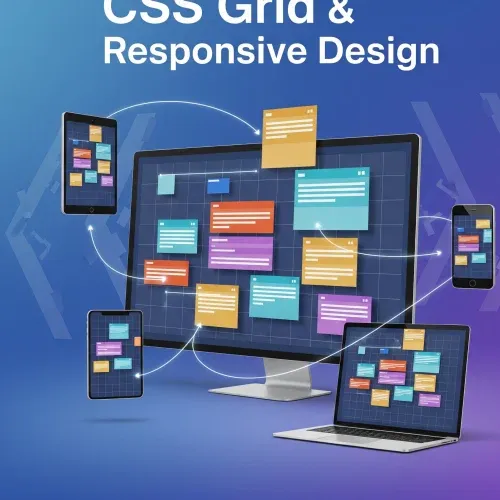
Effortless Grids for Responsive Layouts Made Easy
Intro
I’m a big fan of Kevin Powell’s YouTube channel, and while I can’t recall the exact video, his grid structure ideas inspired the layout for my site. If you want to dive deeper, check out Kevin’s grid videos here.
The Grid Structure: One Class, Infinite Possibilities
This approach uses a single .content-grid class to create a flexible, responsive layout. Any element inside can be centered, full-width, or “breakout” (wider than the main content)—all with just a class name. No more wrestling with container divs or rewriting your HTML!
Why do I love it? Because I’m always working in sections, and this lets me adjust the grid in CSS without touching my markup. It’s fast, clean, and super maintainable.
Here’s the core grid CSS:
@layer grid {
  .content-grid {
    --padding-inline: 1rem;
    --content-max-width: 1140px;
    --breakout-max-width: 1440px;

    --breakout-size: calc(
      (var(--breakout-max-width) - var(--content-max-width)) /
      2
    );
    display: grid;
    grid-template-columns:
      [full-width-start] minmax(var(--padding-inline), 1fr)
      [breakout-start] minmax(0, var(--breakout-size))
      [content-start] min(
        100% -
        (var(--padding-inline) * 2),
        var(--content-max-width)
      )
      [content-end]
      minmax(0, var(--breakout-size)) [breakout-end]
      minmax(var(--padding-inline), 1fr) [full-width-end];
  }

  .content-grid > :not(.breakout, .full-width),
  .full-width > :not(.breakout, .full-width) {
    grid-column: content;
  }

  .content-grid > .breakout {
    grid-column: breakout;
  }

  .content-grid > .full-width {
    grid-column: full-width;
    display: grid;
    grid-template-columns: inherit;
  }
}
How It Works
.content-grid: The magic container. Drop it anywhere you want a flexible layout.- No class: The element sits in the main content area (centered, max-width).
.breakout: The element “breaks out” to a wider container—great for CTAs or highlights..full-width: The element stretches edge-to-edge, perfect for banners or dividers.
Example HTML
<div class="content-grid">
  <section class="full-width">Full Width Section</section>
  <section class="breakout">Breakout Section</section>
  <section>No Class Section</section>
</div>
Now let’s dig into the main content-grid class—the real magic:
 .content-grid {
    --padding-inline: 1rem;
    --content-max-width: 1140px;
    --breakout-max-width: 1440px;

    --breakout-size: calc(
      (var(--breakout-max-width) - var(--content-max-width)) /
      2
    );
    display: grid;
    grid-template-columns:
      [full-width-start] minmax(var(--padding-inline), 1fr)
      [breakout-start] minmax(0, var(--breakout-size))
      [content-start] min(
        100% -
        (var(--padding-inline) * 2),
        var(--content-max-width)
      )
      [content-end]
      minmax(0, var(--breakout-size)) [breakout-end]
      minmax(var(--padding-inline), 1fr) [full-width-end];
  }
The CSS Variables
--padding-inline: Adds comfy space on the sides.--content-max-width: Keeps your main content readable on big screens.--breakout-max-width: Lets certain elements go wider for extra impact.
The clever bit: --breakout-size calculates the space between the main and breakout containers, so everything stays perfectly balanced.
 --breakout-size: calc(
      (var(--breakout-max-width) - var(--content-max-width)) /
      2
    );
The Grid Columns
The grid-template-columns property defines named areas: full-width, breakout, and content. You can target these areas with grid-column names, making placement a breeze.
 grid-template-columns:
      [full-width-start] minmax(var(--padding-inline), 1fr)
      [breakout-start] minmax(0, var(--breakout-size))
      [content-start] min(
        100% -
        (var(--padding-inline) * 2),
        var(--content-max-width)
      )
      [content-end]
      minmax(0, var(--breakout-size)) [breakout-end]
      minmax(var(--padding-inline), 1fr) [full-width-end];
We now have 3 areas: full-width, breakout, and content. Each of these can be targeted individually using the defined grid column names, allowing for precise placement of content within the grid layout.
Here’s where these classes take effect:
.content-grid > :not(.breakout, .full-width),
  .full-width > :not(.breakout, .full-width) {
    grid-column: content;
  }

  .content-grid > .breakout {
    grid-column: breakout;
  }

  .content-grid > .full-width {
    grid-column: full-width;
    display: grid;
    grid-template-columns: inherit;
}content-gridwithout any classes will take the space of the main container.full-widthwill take the entire width available.breakoutwill take a larger container than the main one.
All this is possible just by defining the grid-column name. Inside these areas, you can use any grid, flex, or custom structure you want for each section.
Why This Rocks
- No more container soup: One grid, infinite layouts.
- Easy to maintain: Change your grid in CSS, not in your HTML.
- Super flexible: Mix and match full-width, breakout, and content sections however you like.
Try it out in your next project and see how much simpler your layouts become!


Comments for GSWBRL